
Download TipTap – AI‑Powered Writing Assistant, Autocomplete & Command Palette
Overview
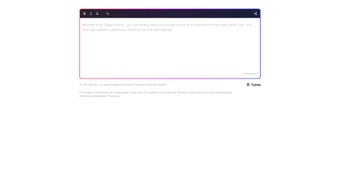
TipTap AI Demo is a web‑based writing companion that embeds OpenAI’s language model directly inside the popular TipTap editor. Designed for writers, marketers, developers, and anyone who spends time crafting text, the tool turns a regular rich‑text editor into an intelligent workspace. By pressing Tab you instantly receive context‑aware autocomplete suggestions, while a built‑in command palette lets you trigger actions—such as formatting, inserting snippets, or generating content—without leaving the page.
Because it runs completely in the browser, there’s no need to install bulky desktop software or juggle multiple tabs. The demo version offers the full feature set, making it a practical, secure, and fast way to boost productivity. Whether you are drafting a blog post, composing an email, or coding documentation, TipTap AI Demo keeps the creative flow uninterrupted, letting you focus on ideas rather than the mechanics of typing.
Key Features and Benefits
- AI‑Driven Autocomplete – Hit the Tab key to receive instant, context‑sensitive suggestions that complete words, phrases, or entire sentences.
- Command Palette – Access a searchable list of editor commands (formatting, block insertion, AI generation) from a single shortcut, reducing mouse‑clicks.
- Seamless OpenAI Integration – The tool leverages GPT‑4 level capabilities, providing coherent, grammatically correct outputs that respect the surrounding text.
- Zero‑Install, Browser‑Only – Run TipTap AI Demo on any modern browser; no downloads, no updates, and no local storage of your content unless you choose to save.
- Customizable Prompts – Tailor the AI’s tone, length, or style through a simple settings panel, ideal for brand‑consistent writing.
- Secure Session Handling – All requests are encrypted via HTTPS, and the demo does not retain any user data after the session ends.
- Cross‑Platform Accessibility – Works equally well on Windows, macOS, Linux, Chrome OS, Android, and iOS browsers.
Pros
- Instant, accurate suggestions reduce typing effort.
- All‑in‑one interface eliminates the need for multiple apps.
- Free to use with no hidden subscription fees.
- Highly responsive, even on slower connections.
- Privacy‑first design; no data is stored permanently.
Cons
- Relies on an internet connection; offline use is not possible.
- Advanced prompt customization is limited compared to full‑scale AI platforms.
- Browser performance can vary on older devices.
Installation, Usage Instructions & Frequently Asked Questions
Getting Started – No Installation Required
Because TipTap AI Demo is a cloud‑hosted web app, the “installation” process is simply navigating to the official URL. Follow these steps for a quick launch:
- Open your preferred browser (Chrome, Edge, Safari, Firefox) on any device.
- Visit https://tiptap.ai/demo.
- Allow the page to load; the editor appears centered on the screen.
- Optionally, click the Settings icon to adjust AI tone, language, or token limits.
- Start typing. When you pause, press Tab to see autocomplete suggestions.
Using the Command Palette
Press Ctrl+K (or ⌘+K on macOS) to open the palette. Begin typing a command name—such as “bold”, “insert table”, or “generate summary”—and select it with Enter. The palette supports fuzzy search, so you don’t need to remember exact phrasing.
System Requirements & Compatibility
TipTap AI Demo runs on any device with a modern browser that supports JavaScript ES6 and WebSockets. Minimum requirements include:
- Desktop: Windows 10/11, macOS 12+, Linux (Ubuntu, Fedora, etc.)
- Mobile: Android 9+ (Chrome), iOS 13+ (Safari)
- Internet connection: Broadband or 4G/5G for optimal response times
FAQ – Frequently Asked Questions
Is TipTap AI Demo free to use?
Yes, the demo version is completely free. There are no hidden subscription fees or usage limits for casual users.
Do I need an OpenAI account?
No. TipTap AI Demo provides its own API key behind the scenes, so you can start writing without registering with OpenAI.
Can I use TipTap AI Demo offline?
Because the AI processing happens on remote servers, an active internet connection is required for autocomplete and generation features.
How secure is my data?
All communication is encrypted with HTTPS. The demo does not store your content after the session ends, and no personal data is logged.
Can I customize the AI’s writing style?
Yes. Within the Settings panel you can select predefined tones (formal, casual, technical) or define a custom prompt to guide the model’s output.
Conclusion and Call to Action
TipTap AI Demo stands out as a lightweight yet powerful writing assistant that brings OpenAI’s language capabilities directly into a familiar rich‑text environment. Its instant autocomplete, searchable command palette, and privacy‑first architecture make it an ideal choice for anyone who wants to write faster without sacrificing control. Because it runs in the browser, you can start using it on any device—whether you’re on a Windows laptop, a macOS desktop, or a mobile phone—without worrying about installations or updates. The free, secure, and fully featured nature of the demo means you can evaluate the benefits instantly and decide whether to integrate the same technology into your own projects.
Ready to supercharge your writing workflow? Download TipTap AI Demo now and experience AI‑enhanced productivity in seconds. Join the growing community of creators who have already cut their drafting time in half while maintaining high‑quality output. Don’t let manual typing slow you down—let TipTap do the heavy lifting for you.



.png)



